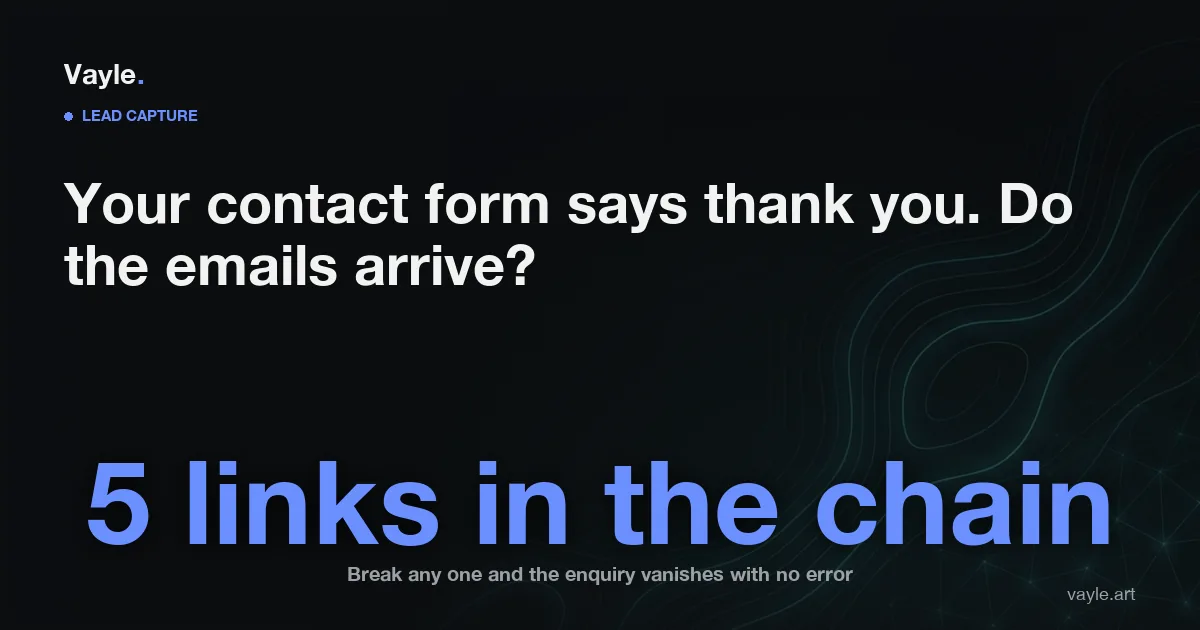
A thank-you message on the screen is not proof that anything was sent. It is usually just the page showing the next screen, and it appears whether the email left the server or died quietly two seconds earlier.
This is the failure nobody catches, because it is silent on both ends. The visitor thinks they contacted you. You think nobody contacted you. There is no bounce, no error, no red flag anywhere in your day. The only symptom is a business that feels slower than the traffic suggests it should be.
Where does a lead actually go when someone hits send?
Five separate things have to work, and each one fails differently.
The form has to submit. The server has to accept it and hand the message to something that sends mail. That sending service has to be trusted by the receiving provider. The receiving provider has to put it in an inbox rather than a spam folder. And a human has to open that inbox.
Break any one of them and the outcome is identical: nothing happens, and nobody knows why. Most owners assume the problem is at the front of that chain, in the form itself. It is almost always somewhere in the middle.
Why does the email end up in spam?
Because mail providers no longer accept a message just because it claims to be from you.
Three DNS records decide whether your mail is believed. SPF lists which servers are allowed to send email for your domain. DKIM adds a cryptographic signature that proves the message was not altered and came from where it says. DMARC tells receiving providers what to do when the first two fail, and can send you reports about it.
If your website sends form notifications from a server that is not covered by those records, the receiving provider has a message claiming to be from your domain that cannot be verified. Sometimes it lands in spam. Sometimes it is dropped without ever reaching a folder.
Cheap shared hosting makes this worse. You are sending from an IP address shared with hundreds of other sites, and you inherit their reputation. When one of them gets used for spam, your quote requests go down with it.
The mistake almost every cheap form makes
Here is the specific bug, and it is everywhere.
The form is built to send the notification as the visitor. The From address on the email is the customer's own address, say a Gmail or Outlook address they typed into the form. It looks convenient. Hit reply and you are replying to them.
It also means your web host is sending mail that claims to come from a large mail provider it has no authority to send for. That is exactly the pattern authentication was designed to stop, and modern filters treat it accordingly.
The fix is small and it is not a rebuild. The notification should be sent from an address on your own domain, something like forms@yourbusiness.ca, through a service that is properly authenticated for that domain. The visitor's address goes in the Reply-To field instead. You still hit reply and still reach the customer. The message now passes the checks it was failing.
While you are in there, check whether the site is calling your host's built-in mail function at all. On a lot of Canadian shared hosting that function is either disabled outright or unauthenticated, which means the form has been failing since the day it launched. A real authenticated sending service costs a few dollars a month or nothing at all at low volume, and it is the difference between hoping and knowing.
Does the email arrive and then die in an inbox nobody reads?
This one is not technical, and it is more common than the technical faults.
The notification goes to info@, which forwards to the address of somebody who left in 2023. Or it goes to one person, who is on vacation. Or it goes to a shared inbox that everyone assumes somebody else is watching.
There is also a quieter version. If your info@ address forwards to a personal Gmail account, the forwarding step itself can break the authentication the message just passed, because the forwarding server is not the original sender. Legitimate mail gets filtered on the second hop. This is worth knowing before you blame your web developer, and it is one of several reasons to be clear about who controls your domain, DNS and mail.
Send notifications to at least two people. Check the spam folder of every address on that list, right now, before you read the next section.
Send an auto-reply, and mean it
Someone who fills in a form at nine at night has no idea whether it worked either. If they hear nothing, the reasonable next move is to fill in a competitor's form.
An automatic reply solves three problems at once. It tells the customer the message landed. It gives them your contact details, so they can reach you another way if you go quiet. And it proves the address they typed actually works, because if it bounces you will see it.
Keep it short and human. Say the message arrived, say roughly when you reply, and sign it with a name. A wall of marketing copy at nine at night does not reassure anyone.
The ten-minute test to run today
Do not ask your developer whether the form works. Test it the way a customer would.
Use your phone, on mobile data rather than office wifi. Open your own site. Fill in the contact form with a personal address you can check, and write something obviously identifiable in the message, like the current time.
Then check four places: the inbox the notification should reach, that inbox's spam folder, the auto-reply in the address you used, and whether you can reply to the notification and have it reach you. Repeat it once for every form on the site. The quote form, the booking form, the newsletter box and the footer form are four different pieces of plumbing, and they fail independently.
Do this after every redesign as well. A form quietly breaking during a rebuild is one of the standard ways a new site loses money while looking better, alongside the redirects and rankings that get dropped in the same week.
Stop keeping your only copy in an inbox
Email should be the notification, not the record.
Every submission should also be written somewhere you own: a database on the site, a spreadsheet, or a CRM. Then a failed email is an annoyance rather than a lost customer, and you can see submissions that never generated a notification at all. That is the evidence that turns "I think the form is broken" into a fixable fact.
It also gives you the numbers you do not currently have. How many enquiries per week, from which pages, at what times. If your site brings visits that never turn into enquiries, this is the log that tells you whether the problem is the traffic or the form.
The other doors people knock on
The contact form is one of several ways a customer tries to reach you, and the others break just as silently.
Check that the phone number in your header is tappable and dials the line somebody answers. Check the Facebook and Instagram message requests folder, which hides messages from people who are not connected to you and is where a first-time customer's message goes. If you list a WhatsApp number, message it from a phone that has never contacted you and see whether it arrives.
Every one of these is free to check and none of them are on anyone's calendar.
What it costs to fix
Repairing a broken form is usually a small job, often an hour or two of developer time plus setting up an authenticated sending service. It is not a redesign, and you should be suspicious of anyone who quotes it as one.
If you are building or rebuilding anyway, this should be part of the build itself, tested before launch rather than discovered in March. What a site costs depends on what is in it, and the current figures for your country are on the pricing page. Ongoing care is a monthly plan, and its current price for your country is on the pricing page.
The honest summary: this is the cheapest problem on your website to fix and one of the most expensive to leave alone, because the cost is invisible. You never see the enquiry that did not arrive.
If you want a second pair of eyes on your site, send it to me and I will tell you what I would fix first and what it would cost, the same working day.