There is a counter-intuitive fact at the heart of web accessibility that trips up well-meaning business owners every year: the single most common tool people reach for to "make a site accessible" is also one of the most common ways to make it less accessible. That tool is ARIA (Accessible Rich Internet Applications) - a set of HTML attributes that tell screen readers what a control is and does. Used correctly and sparingly, ARIA fills gaps that plain HTML can't. Used carelessly - sprayed onto a page by a developer who half-understands it, or injected wholesale by an overlay widget - it actively lies to assistive technology, announcing buttons that aren't there, labels that are wrong, and roles that don't match. The screen reader believes the code, not the screen. And the customer is worse off than if nobody had touched it at all.
Key facts
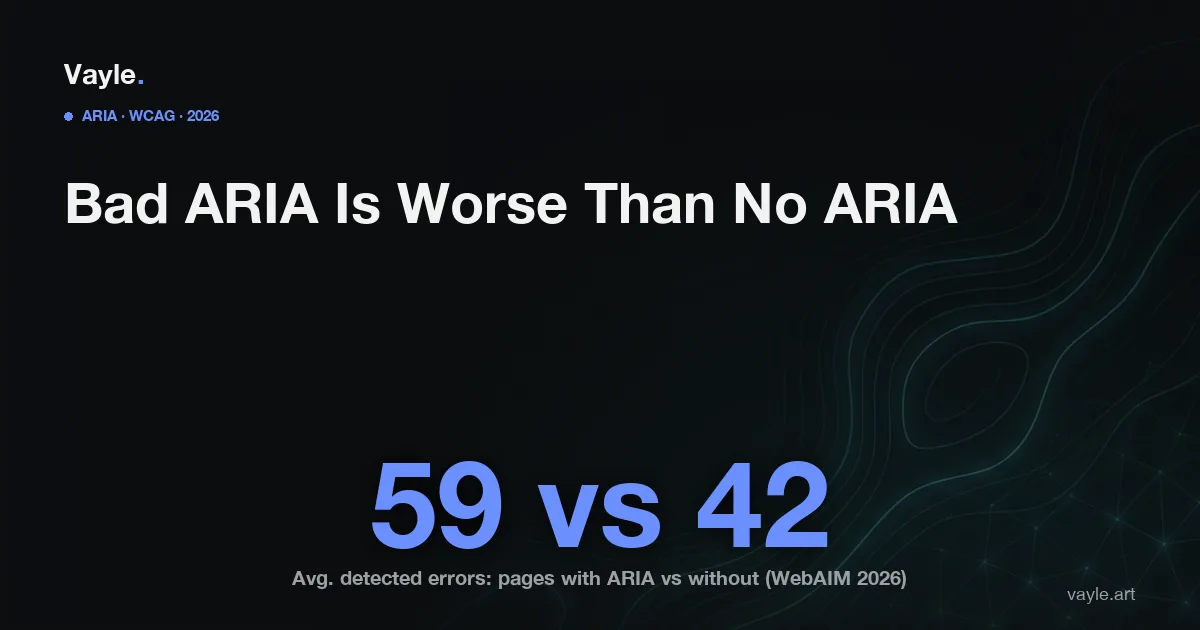
- The 2026 WebAIM Million - WebAIM's annual analysis of one million home pages - found home pages with ARIA present averaged 59.1 detected errors, versus 42 on pages without ARIA; the more ARIA attributes a page used, the more detected accessibility errors it tended to have (WebAIM, 2026 WebAIM Million).
- That same report found detectable WCAG 2 failures on 95.9% of home pages in 2026, up from 94.8% in 2025 - reversing several years of slow improvement (WebAIM, 2026 WebAIM Million).
- W3C's own guidance states a blunt rule: "No ARIA is better than bad ARIA." The first rule of ARIA is that if a native HTML element can do the job, use it instead of re-creating it with ARIA (W3C, WAI-ARIA Authoring Practices).
- WCAG 4.1.2 Name, Role, Value is Level A (Web Content Accessibility Guidelines): every interactive control must expose a correct name, role, and value to assistive technology - and incorrect ARIA is one of the fastest ways to fail it (W3C).
- Ontario's IASR (Integrated Accessibility Standards Regulation, O. Reg. 191/11) s.14 requires organizations with 50 or more employees to make public websites conform to WCAG 2.0 Level AA, and the next ACR (Accessibility Compliance Report) for organizations with 20 or more employees is due December 31, 2026 (ontario.ca, O. Reg. 191/11).
What is ARIA, and what does WCAG actually require of it?
ARIA is a vocabulary of attributes - things like role="button", aria-label, aria-expanded, aria-hidden - that you add to HTML to communicate meaning to a screen reader. Its purpose is narrow: to describe custom widgets and dynamic content that plain HTML has no built-in element for. A genuinely custom dropdown, a tab panel, a live-updating cart total - these may legitimately need ARIA so a screen reader can announce what's happening.
What WCAG requires is not "use ARIA." It requires, under 4.1.2 Name, Role, Value (Level A), that every interactive control expose a correct name, role, and state - by whatever means. A standard <button>Add to cart</button> already does this for free. The moment you replace it with a styled <div> and bolt on role="button", you've taken on the job of re-implementing everything the native button gave you: keyboard focus, the Enter and Space keys, the announced role. Miss any piece and you've built something that looks accessible in the code but fails in practice. That is why W3C's first rule of ARIA is to prefer native HTML, and why its guidance says plainly that no ARIA is better than bad ARIA.
Why does adding ARIA so often make a site less accessible?
Because ARIA changes what the screen reader announces without changing what the page actually does - so a mistake is invisible to the sighted person who made it. A few patterns recur:
aria-hidden="true"on the wrong thing. Meant to hide decorative clutter, it gets placed on a real control or a chunk of content - which then vanishes entirely for screen-reader users while staying fully visible to everyone else.- An
aria-labelthat overrides the visible text. A button reads "Submit" on screen but announces "button" or, worse, last release's leftover label - so a voice-control user who says "click Submit" hits nothing. - A role that contradicts the element. A link marked
role="button", or a heading markedrole="presentation", tells the screen reader one thing while the page behaves like another. This is the same structural breakage covered in screen readers and site structure: the assistive-technology map no longer matches reality. - State that never updates.
aria-expanded="false"on a menu that's now open, or an error flagged with ARIA that the screen reader is never told about - the gap behind much of accessible forms and error handling.
This is also exactly why a scan is not an audit. An automated scanner can confirm an aria-label exists; it usually cannot tell whether the label is correct, whether the role matches the behaviour, or whether hidden content should have been hidden. Those are human judgments - which is the whole reason the WebAIM data shows more ARIA correlating with more detected errors, not fewer.
Why do accessibility overlays make the ARIA problem worse?
An overlay is a single script you paste onto your site that promises to fix accessibility automatically - and a great deal of what it injects is ARIA. That's the worst possible source for it. The overlay can't know which of your <div>s is really a button, what your icon-only controls are meant to say, or whether a region should be hidden - so it guesses at scale, layering generic ARIA over a structure it doesn't understand. The result is more attributes, more contradictions, and more of exactly the errors the WebAIM Million keeps measuring. This is the gap at the centre of overlay widgets versus real remediation, and it's why the FTC's US$1 million action against an overlay vendor (accessiBe) turned on the gap between the marketing claim and what the tool actually delivered. Bad ARIA isn't a harmless extra - it's measurable harm, and it's bolted on automatically.
How do you check whether your ARIA helps or hurts - and what's the Ontario risk?
You can run a useful first pass yourself. Turn on a screen reader - VoiceOver ships on every Mac (Cmd-F5), Narrator on Windows (Ctrl-Win-Enter), and the free NVDA is widely used - and walk a real task: find a product, add it to the cart, fill the form, reach checkout. Listen for the tells. Does every control announce a name that matches its visible text? Do menus and accordions report the right open/closed state? Does anything you can see go silent, or does the reader announce something that isn't on screen? Any of those is likely an ARIA defect - and the honest fix is almost never more ARIA. It's removing the broken attributes and, where possible, using the native HTML element that never needed ARIA in the first place. Building to WCAG 2.2, the current standard, keeps that foundation clean.
On the legal side: in Ontario the AODA (Accessibility for Ontarians with Disabilities Act) has no private right of action - a person can't sue under it. The route for an individual is the HRTO (Human Rights Tribunal of Ontario), which hears discrimination complaints under the Ontario Human Rights Code; a customer who can't complete a purchase a sighted customer can complete has a plausible claim of unequal access to goods and services. If you also sell into the US, broken controls are among the most-cited issues in ADA litigation - part of the more than 5,000 digital accessibility lawsuits filed across US courts in 2025 (UsableNet). As always, the durable position is documented remediation: the defects you found, the broken ARIA you removed, the native fixes you shipped, and the dates - which is also what an honest ACR should reflect by December 31, 2026.
If you want a second pair of eyes on your site, send it to me and I will tell you what I would fix first and what it would cost, the same working day.
Vayle is a remote-first accessibility-engineering studio serving Ontario. General information, not legal advice.