Some of your visitors never touch a mouse. People with motor disabilities, people who are blind and navigate by screen reader, and people with temporary injuries operate the web entirely from the keyboard - Tab to move forward, Shift+Tab to move back, Enter and Space to activate. If any part of your Ontario website can only be reached or used with a mouse, those visitors are locked out. And unlike missing alt text or low contrast, keyboard failures are nearly invisible to the automated scanners most businesses rely on - which is exactly why they survive to the point of a complaint.
Key facts
- WCAG 2.1.1 Keyboard and 2.1.2 No Keyboard Trap are both Level A - the most fundamental tier of WCAG (Web Content Accessibility Guidelines) - and 2.4.7 Focus Visible is Level AA (W3C, WCAG 2.0).
- Ontario's IASR (Integrated Accessibility Standards Regulation, O. Reg. 191/11) s.14 requires large organizations (50+ employees) to meet WCAG 2.0 Level AA, exempting only 1.2.4 and 1.2.5 by name - meaning every keyboard criterion is in scope and not exempt (ontario.ca, O. Reg. 191/11).
- WCAG 2.2 added 2.4.11 Focus Not Obscured (Minimum) at Level AA and 2.5.7 Dragging Movements at Level AA, both directly relevant to keyboard and pointer operability (W3C, WCAG 2.2).
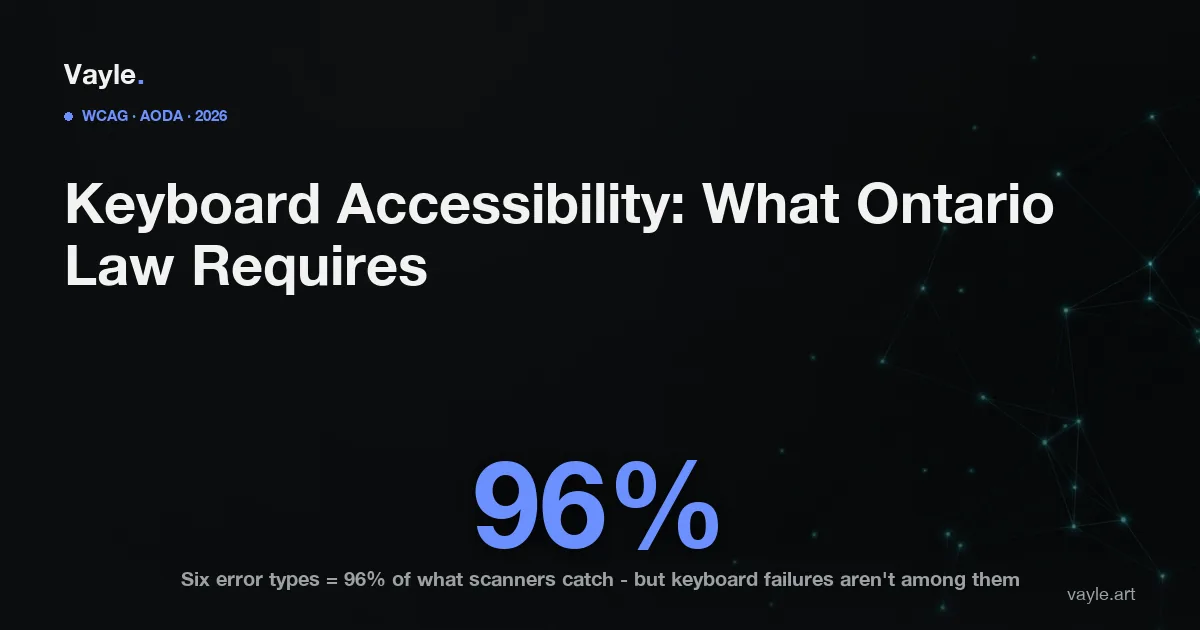
- The WebAIM Million 2026 report found the six most common error types account for 96% of all detected accessibility errors - and have been the same six for seven straight years; 10% of skip links tested didn't work for keyboard users (WebAIM).
- WebAIM and every automated tool cannot reliably detect keyboard operability, logical focus order, or target size - these require manual testing (WebAIM, WebAIM Million methodology).
- The next ACR (Accessibility Compliance Report) deadline for Ontario organizations with 20 or more employees is December 31, 2026 (ontario.ca).
What does Ontario's AODA require for keyboard accessibility?
Ontario's AODA (Accessibility for Ontarians with Disabilities Act) sets the policy; the IASR (O. Reg. 191/11) sets the technical bar. Section 14 requires organizations with 50 or more employees to make public websites and web content conform to WCAG 2.0 Level AA, naming only two exemptions: 1.2.4 Captions (Live) and 1.2.5 Audio Descriptions (Pre-recorded). Every keyboard-related criterion sits outside those exemptions, so it applies in full.
Three carry the most weight:
2.1.1 Keyboard - Level A. All functionality must be operable through a keyboard interface. If a user can click it, a user must be able to reach and activate it with the keyboard alone - menus, buttons, sliders, accordions, modal dialogs, "add to cart."
2.1.2 No Keyboard Trap - Level A. Focus must never get stuck. If keyboard focus can move into a component (a date picker, an embedded media player, a custom widget), it must be able to move back out using only the keyboard. A trap freezes the keyboard user on one element with no escape.
2.4.7 Focus Visible - Level AA. Whichever element currently has keyboard focus must show a visible indicator - typically an outline or ring. A common and damaging mistake is CSS that does outline: none to "clean up" the look, removing the only cue a keyboard user has about where they are on the page.
Which WCAG criteria are new in WCAG 2.2 - and do they affect keyboard users?
The IASR's legal floor is WCAG 2.0, but WCAG 2.2 is the current best-practice standard for new work, and two of its additions speak directly to operability:
- 2.4.11 Focus Not Obscured (Minimum) - Level AA (new in 2.2). When an element receives keyboard focus, it must not be entirely hidden behind a sticky header, a cookie banner, or a chat widget. Keyboard users frequently lose track of focus precisely because a "helpful" floating element covers the focused control.
- 2.5.7 Dragging Movements - Level AA (new in 2.2). Any action that relies on dragging - a range slider, a drag-to-reorder list, a map - must offer a single-pointer alternative (such as buttons), which also benefits users who cannot perform a sustained drag.
If you sell to US customers, this matters beyond best practice. The DOJ's 2024 Title II final rule and federal ADA case law reference WCAG 2.1 Level AA, where these operability criteria already apply - so an Ontario business selling into the US faces a higher effective standard than the IASR floor alone.
Why do automated scanners miss most keyboard problems?
This is the trap that catches well-intentioned businesses. The WebAIM Million 2026 report - an automated scan of the top million home pages - confirms that the six most common detectable errors (led by low contrast and missing alt text) have topped the list for seven years and make up 96% of what tools catch. But WebAIM is explicit that its method cannot evaluate keyboard navigation, logical focus order, or target size. Those depend on interaction, and a scanner does not press Tab.
So a site can score "0 errors" on a free checker and still trap keyboard focus in a checkout modal, hide its focus indicator, or bury a "Submit" button that the keyboard can never reach. This is the same blind spot we cover in why a scan is not an audit: the most consequential operability failures are exactly the ones only a human, or a screen-reader user, finds. It is also why accessibility overlays don't solve keyboard access - a script layered on top of a broken page cannot rebuild a focus order or untrap a widget that was coded mouse-only.
How do you test your own site with the keyboard - and what happens if you don't?
You can run a first-pass check yourself in minutes, no tools required:
- Put the mouse aside. From the top of a key page, press Tab repeatedly.
- Confirm you can see which element is focused at every step (2.4.7), and that the order is logical (2.4.3 Focus Order, Level A).
- Activate links and buttons with Enter or Space, open and close menus and modals, and confirm focus can leave every component without a trap (2.1.2).
- Walk a real task - search, add to cart, complete a form, submit - using only the keyboard. If you can't finish it, neither can a keyboard-only customer. Your forms and checkout are where this most often breaks.
In Ontario, the AODA has no private right of action - individuals cannot sue under it. The enforcement path is the HRTO (Human Rights Tribunal of Ontario), which hears complaints of discrimination under the Ontario Human Rights Code. A person with a motor disability who cannot complete your checkout with a keyboard has a plausible complaint about unequal access to your goods and services. And if you sell to the US, keyboard inoperability is among the failures most frequently cited in ADA litigation - part of the 5,114 ADA digital accessibility lawsuits filed across federal and state courts in 2025 (UsableNet, 2025 Year-End Accessibility Lawsuit Report).
The defense is the same as for any accessibility gap: documented remediation. A manual keyboard test log, the fixes you shipped, and the dates you shipped them show you found the gap and closed it - which is also what an honest ACR should reflect by the December 31, 2026 deadline.
If you want a second pair of eyes on your site, send it to me and I will tell you what I would fix first and what it would cost, the same working day.
Vayle is a remote-first accessibility-engineering studio serving Ontario. General information, not legal advice.